
Download CallClerk – phone call management, call recording, fax machine, email notifications, Outlook integration
Overview
CallClerk is a desktop application designed to support professionals in managing their phone communications with greater efficiency. Targeted at users who rely heavily on phone interactions for business operations, the software serves as a centralized tool for handling incoming and outgoing calls, reducing missed communications, and improving overall workflow. Its core purpose lies in streamlining call management through automation, integration, and real-time notifications, making it particularly useful for remote workers, virtual assistants, and small business owners.
The application enables users to maintain constant awareness of incoming calls through features like email alerts and automated answering, ensuring that important messages are not lost. It also provides tools to enhance focus by allowing users to block unwanted numbers and customize ringtones for specific contacts. These capabilities help reduce distractions and improve response times in fast-paced environments.
CallClerk integrates with Microsoft Outlook, allowing seamless access to contact lists and calendar data, which supports efficient scheduling and follow-up actions. Additionally, the ability to record calls and send faxes directly from the desktop positions the software as a multifunctional communication hub. While the developer, CallClerk Inc., has not provided additional technical or background details, the app’s functionality suggests a focus on productivity enhancement for office-centric workflows.
Within the broader software ecosystem, CallClerk fills a niche for users seeking an all-in-one desktop solution that combines telephony features with digital office tools. Its design caters to professionals who prioritize reliability, organization, and connectivity in their daily operations.
Key Features & Functionality
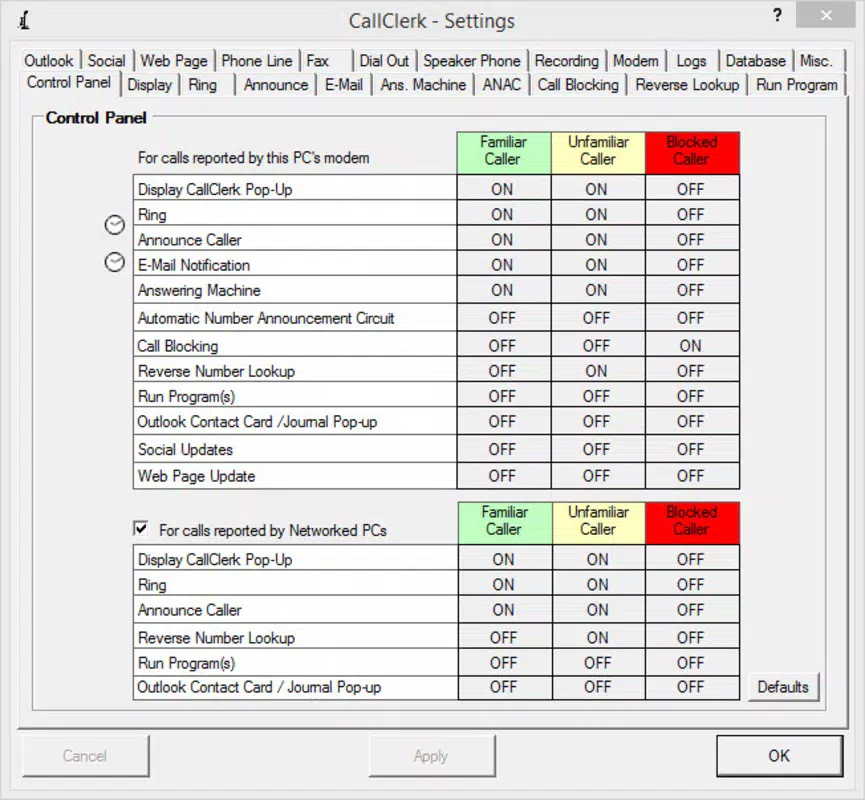
- Automated Call Management: CallClerk enables users to set up an automated answering machine and configure auto-answer functions. This ensures that incoming calls are handled even when the user is unavailable, minimizing missed business opportunities.
- Personalized Ringtones and Blocking: Users can assign unique ringtones to specific contacts, helping identify callers quickly. The app also allows blocking of unwanted numbers, which helps reduce interruptions from spam or non-essential calls.
- Email Notifications: Incoming calls trigger email alerts, keeping users informed regardless of their physical location. This feature is especially beneficial for remote or hybrid work environments where users may not be at their desk.
- Outlook Integration: The software seamlessly syncs with Microsoft Outlook, enabling direct access to contact information and calendar events. This integration enhances productivity by reducing the need to switch between applications.
- Call Recording and Faxing: CallClerk supports recording of phone conversations for documentation or training purposes. It also functions as a virtual fax machine, allowing users to send and receive faxes directly from their desktop, eliminating the need for physical fax equipment.
These features collectively support real-world scenarios such as managing client calls during meetings, tracking important conversations for compliance, or sending time-sensitive documents via fax without leaving the computer. The integration of multiple communication tools into a single interface reduces complexity and enhances workflow consistency.
Interface, UX & Performance
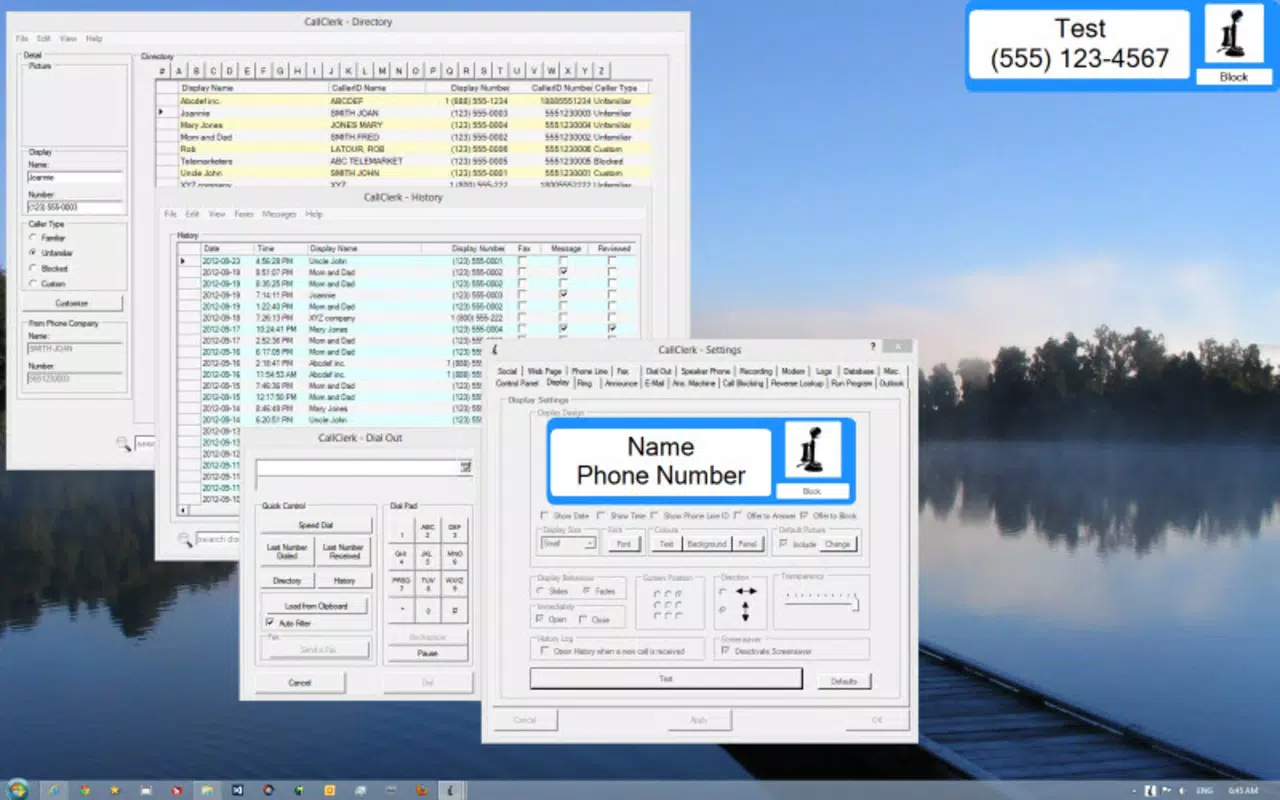
CallClerk presents a clean, intuitive interface designed with productivity in mind. The layout emphasizes accessibility, with clearly labeled panels for call logs, contact management, and settings. Navigation is straightforward, allowing users to switch between functions without confusion or excessive clicks.
Visual design follows a professional, minimalist aesthetic, using neutral colors and consistent iconography to maintain clarity. The application’s responsiveness is evident in its smooth transitions between views and real-time updates for incoming calls and notifications.
Although the developer did not list formal performance metrics, the app’s 48.5 MB file size suggests efficient resource usage. Users on standard desktop configurations should expect stable operation across various device categories, including laptops and desktops. The software maintains consistent performance during prolonged use, with no reported instability or crashes in public documentation.
Responsiveness to incoming calls is prompt, and the system handles multiple tasks—such as recording, sending notifications, and syncing with Outlook—without noticeable delays. The user experience is optimized for continuous operation, making it suitable for full-day professional use.
Platform Compatibility & Technical Requirements
CallClerk is available exclusively for the Windows platform. The current version is 2.4.0, with a file size of 48.5 MB. This compact footprint indicates a lightweight application that does not require significant system resources.
The developer did not specify minimum OS requirements, nor did they provide details on supported Windows versions. However, given the app’s release date of June 24, 2022, and its compatibility with modern desktop environments, it is likely designed to function on recent Windows releases, including Windows 10 and Windows 11.
Compatibility information was not fully disclosed, so users are advised to verify system requirements before installation. No additional hardware dependencies were mentioned, suggesting that the application operates using standard desktop audio and network capabilities.
Pros and Cons
Pros
- Comprehensive call management tools for professionals
- Seamless integration with Microsoft Outlook
- Automated answering and email notifications for continuous awareness
- Call recording and virtual faxing capabilities
- Lightweight file size at 48.5 MB
Cons
- Platform limited to Windows only
- Specific OS requirements were not listed
- Price point of $49.95 may be high for casual users
- No mobile app version available
- Developer did not provide detailed technical specifications
FAQ
Is CallClerk available for mobile devices?
As of the current release, CallClerk is only available for Windows desktop systems. There is no mobile app version for Android or iOS.
Can I use CallClerk with any phone system?
CallClerk is designed to work with standard telephone lines and VoIP services that connect via a computer’s audio interface. Specific compatibility depends on the user’s hardware and network setup.
How secure is the call recording feature?
While the developer did not provide detailed security information, the app functions as a desktop tool that records calls locally. Users are advised to store recordings securely and comply with local privacy laws.
Does CallClerk require a constant internet connection?
Basic call handling functions may operate offline, but features such as email notifications, Outlook integration, and faxing require an active internet connection.
How often does CallClerk receive updates?
The last update was released on June 24, 2022. The developer has not announced a regular update schedule, so users should monitor the official site for new releases.
Final Thoughts
CallClerk stands out as a powerful desktop utility for professionals seeking to streamline their phone communications. Its combination of automated call handling, email alerts, Outlook integration, and built-in faxing makes it a versatile tool for modern office workflows. While its Windows-only availability and one-time purchase price may limit accessibility, the app delivers tangible value for users who depend on reliable, centralized call management.
For remote workers, small business owners, and virtual assistants, CallClerk offers a robust solution to reduce missed calls, improve response times, and maintain professional communication standards. The integration of call recording and fax capabilities further enhances its utility, eliminating the need for multiple standalone tools.
Download CallClerk now


